

Choosing between shared and VPS hosting is about traffic and revenue protection. If your Indian affiliate blog gets under 10,000 monthly visitors, shared hosting is cost-effective. But after 15,000–20,000 visitors, a Virtual Private Server (VPS) is needed to maintain Core Web Vitals and protect SEO rankings.
Understanding the Core Differences in Web Hosting Architecture
Shared hosting splits CPU and memory among many users on a single server, while VPS hosting gives you your own set of resources for consistent site performance.
The Shared Hosting Environment Explained
For a bootstrapped tech blogger in India, shared hosting is like living in a busy apartment complex. You share infrastructure, the plumbing, electricity, and common areas—with hundreds of other tenants. In server terms, your WordPress blog shares CPU cycles, RAM, and bandwidth with countless websites. This setup makes shared hosting very affordable. You can launch an affiliate site for just a few hundred rupees a month.
Recognizing the Limitations of a Shared Pool
However, this cost-efficiency comes with strict physical limitations. Your hosting provider uses software limits (such as CloudLinux) to prevent any single website from consuming all the server’s resources. When your traffic spikes because a tech tutorial went viral, you will hit these I/O (Input/Output) or memory limits. This results in throttled speeds, 503 error pages, and an overall poor user experience, which signals to Google’s algorithms that your site is unreliable.

How Virtual Private Servers (VPS) Isolate Resources
Upgrading to a VPS changes your hosting setup. According to a technical breakdown by TechRadar, a VPS uses a hypervisor to create virtual machines on one physical server. Your blog gets a set share of RAM and CPU cores. These resources are entirely yours, like a dedicated server, without the high price.
The “Bad Neighbor” Effect on Indian Affiliate Sites
One of the most critical risks of the shared architecture is the “bad neighbor” effect. If another website on your shared server experiences a massive DDoS attack or writes a poorly optimized script that hogs resources, your site’s speed will suffer collateral damage. Recent industry insights from Cyberin confirm that as WordPress blogs scale, moving from a shared environment to a VPS with NVMe SSDs becomes absolutely mandatory to avoid these shared vulnerabilities and maintain strict data security.
The True Cost and ROI of Scaling Your Blog
Shared hosting costs about ₹150–₹300 monthly. An entry-level VPS costs ₹400–₹800. The upgrade brings positive ROI, with faster page loads and less revenue loss during traffic spikes.
Analyzing the Entry-Level Cost vs Hidden Limits
When comparing hosting plans, Indian bloggers often focus solely on the sticker price. A standard shared plan might cost ₹2,500 annually, which is highly appealing. However, these plans often hide their true costs in “unlimited” claims. There is no such thing as unlimited storage or bandwidth. Providers enforce strict Inode limits (the number of files you can host) and Entry Process limits (how many concurrent visitors can be on your site). Breaking these limits leads to forced upgrades or account suspension.
The Impact of Latency on Conversion Rates
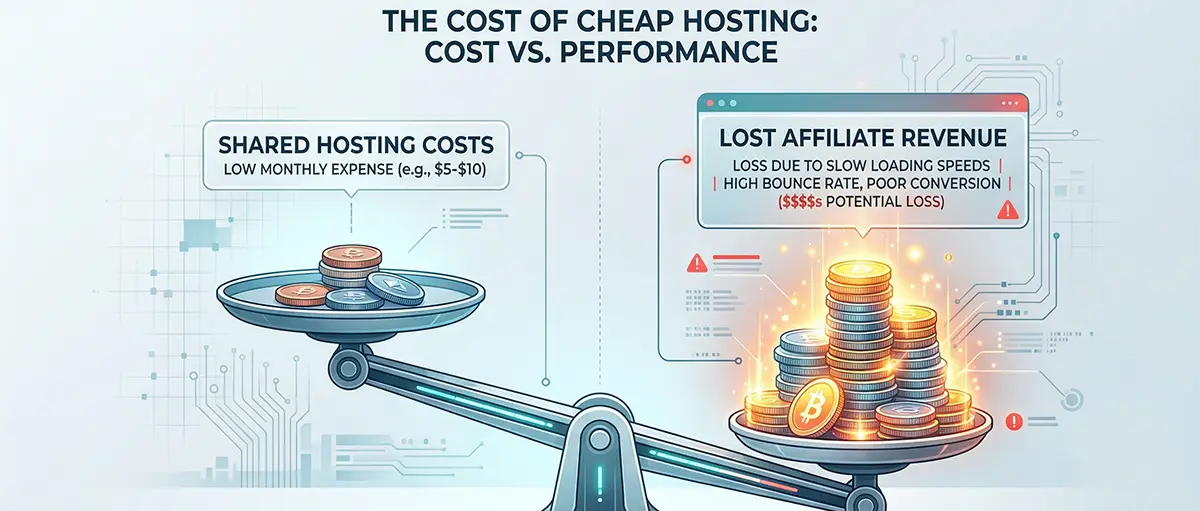
For affiliate marketers, speed is currency. If an Amazon link takes more than 3 seconds to load, you lose commissions as bounce rates rise. Server location and resources matter here. Pick a VPS with an Indian data center, like in Mumbai or Pune, to slash latency. Performance benchmarks from YouStable show that Indian VPS with KVM and NVMe can cut server response times under 50 ms locally. This directly lifts Core Web Vitals.
Calculating the Break-Even Point for Upgrading
To justify moving from shared to VPS hosting, find your break-even point. For example, if your blog earns ₹15,000 a month and a slow server causes a 10% drop in conversions, you lose ₹1,500 a month.
| Feature | Shared Hosting | VPS Hosting |
|---|---|---|
| Average Monthly Cost (INR) | ₹250 - ₹400 | ₹600 - ₹1,200 |
| Guaranteed RAM | None (Pooled) | 2GB - 4GB |
| Concurrent Visitors | Low (approx. 20-30 at once) | High (100+ simultaneously) |
| Root Access | No | Yes (Optional) |
| Estimated ROI Impact | High risk of revenue loss at scale | Protect conversions during spikes |
The Economic Case for Affiliate Marketers
In that case, spending an additional ₹500 per month on a VPS saves ₹1,500 in lost commissions. Technical advantages make VPS a stronger, more profitable model for serious bloggers.
Comparative Analysis: Evaluating Your Best Hosting Upgrades
Premium shared plans are convenient but limit performance. Managed VPS plans provide scalable power and faster speeds at slightly higher initial costs.
Premium Shared Hosting (The Budget Limit)
For bloggers who are hesitant to manage their own servers, premium shared hosting is often the final stop before a VPS. These plans usually include built-in caching, free CDNs, and a heavily restricted but optimized WordPress environment. They are entirely hands-off, meaning the hosting company manages all security patches and server maintenance.
| Feature | Premium Shared Details |
|---|---|
| Ideal Traffic Limit | ~15,000 to 25,000 monthly visitors |
| Storage Type | Standard SSD |
| Scalability | Manual upgrade required; requires migrating to a new tier |
| Management Level | Fully Managed (Zero technical skills needed) |
| Best For | Bloggers making under ₹10,000/month prioritizing ease of use |
Entry-Level Managed VPS (The Sweet Spot)
For the bootstrapped tech blogger ready to scale, an entry-level managed VPS is the ultimate sweet spot. “Managed” means the hosting provider handles technical server administration (such as OS updates and firewall configurations) while still giving you the isolation of a VPS. It bridges the gap between raw server power and ease of use.
| Feature | Managed VPS Details |
|---|---|
| Ideal Traffic Limit | 50,000+ monthly visitors |
| Storage Type | NVMe SSD (Up to 10x faster) |
| Scalability | Instant vertical scaling (Add CPU/RAM with one click) |
| Management Level | Managed (Provider handles backend OS, you handle the blog) |
| Best For | Profitable affiliate sites prioritizing SEO and Core Web Vitals |
Navigating the Migration Process
Migrating from shared to VPS hosting used to be a daunting task that required command-line knowledge. Today, managed VPS providers offer free site migrations and use control panels like those found in shared hosting (such as cPanel or CyberPanel). This ensures a smooth transition, resulting in zero downtime for your critical affiliate content.
Frequently Asked Questions
01 1. Is VPS faster than shared hosting for a WordPress blog?
Yes. A VPS offers dedicated CPU and RAM, so your WordPress queries and scripts run right away. This results in much faster Time to First Byte (TTFB).
02 2. How much monthly traffic can share hosting realistically handle?
While providers claim "unlimited" bandwidth, an aggressively optimized shared hosting plan will typically struggle once you reach 15,000 to 20,000 monthly visitors, especially if multiple users are browsing your site concurrently.
03 3. Do I need coding skills to manage a VPS in India?
If you buy an unmanaged VPS, you need Linux command-line skills. With a Managed VPS or cloud panel, it’s just as easy as shared hosting and needs no coding skills.
04 4. What is the true ROI of upgrading to a VPS for an affiliate site?
The ROI comes from recovered revenue. A VPS prevents crashes during traffic spikes and reduces page load times, which means better SEO rankings and higher conversions. The higher cost pays off by maximizing affiliate commissions.
05 5. Managed vs. Unmanaged VPS: Which is better for bootstrapped bloggers?
Unless you are a trained system admin, a Managed VPS or VPS with a modern panel is better. It saves you hours on maintenance and lets you focus on content and backlinks.